
1. Select ‘Registration’ on the navigation bar, then ‘Bulk Registration’
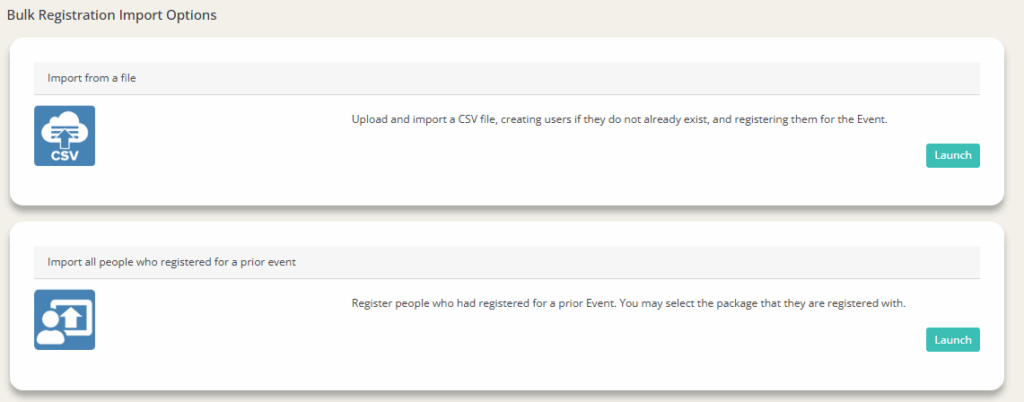
2. Select from one of two bulk registration upload options: ‘Import from a file’ or ‘Import all people who registered for a prior event,’ then hit ‘Launch’
- Import from a file: Upload and import a CSV file, creating users if they do not already exist, and registering them for the event
- Select file to import (must be .csv or .txt)
- Select the number of rows to preview
- Slide the bar if the import file has column headers
- Click ‘Upload File’

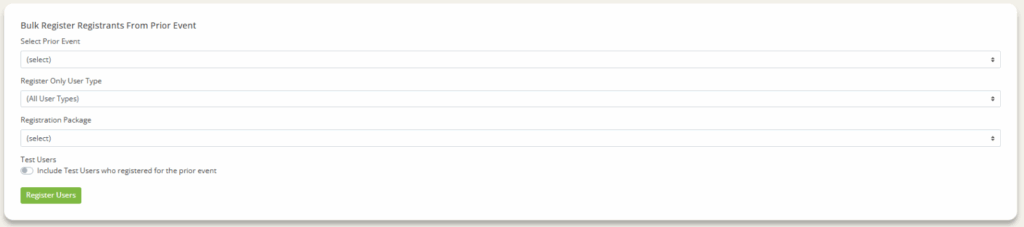
- Import all people who registered for a prior event: Register people who had registered for a prior event. You may select the package that they are registered with.
- Select which prior event you want to use the registration list from
- Select if you what kind of user type you want to register (all, attendee, exhibitor, partner, poster submitter, speaker, sponsor)
- Select which registration package
- Slide bar if you want to include test users who registered for the prior event
- Click ‘Register Users'