Event Setup & Navigation
Configuring Event Settings
Event Branding
Setting up Attendee Profiles
Event Registration & Microsite
Setting up Webcasts
No posts available in this category.
Webcast Tracks
Setting up Sponsors
Setting Up Dynamic Banners
Event Spaces
Event Engagement and Networking
Text Chat
Setting Up Exhibitor Booths
Adding Posters
Event Messaging
Email Reminders and Confirmations
Event Metrics and Reporting
Account Settings
Tools
API Integrations
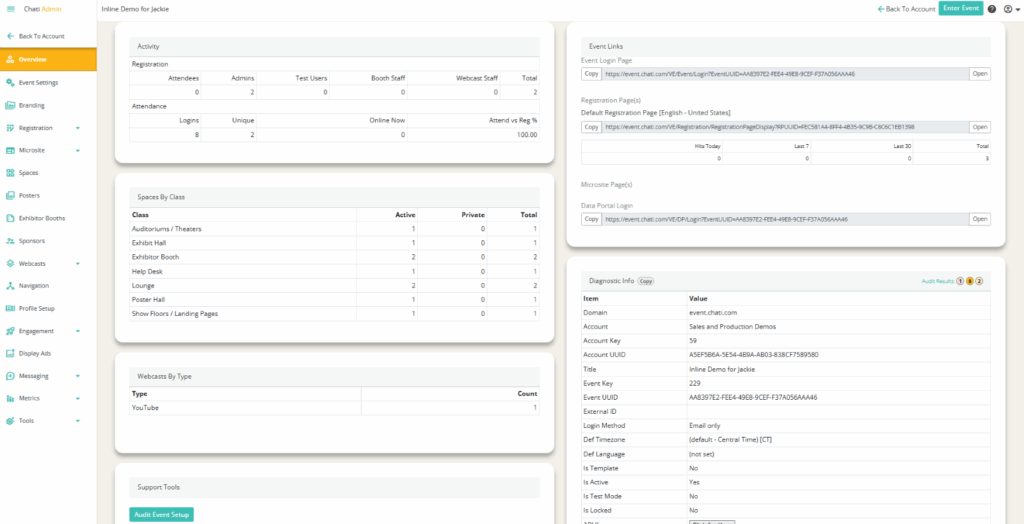
1. Select ‘Overview’ the Event Settings Panel
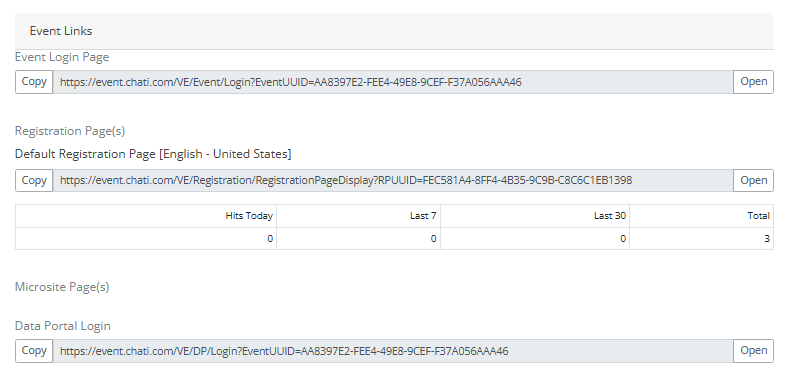
2. Click ‘Open’ next to the Registration Page(s)
Creating Registration Packages
Creating Registration Confirmation Emails
Understanding Registration Packages in Chati
How to upload bulk registrants
Adding supplemental, custom registration questions