

1. Click ‘Posters’ on Event Settings Panel
2. Click ‘Handouts’
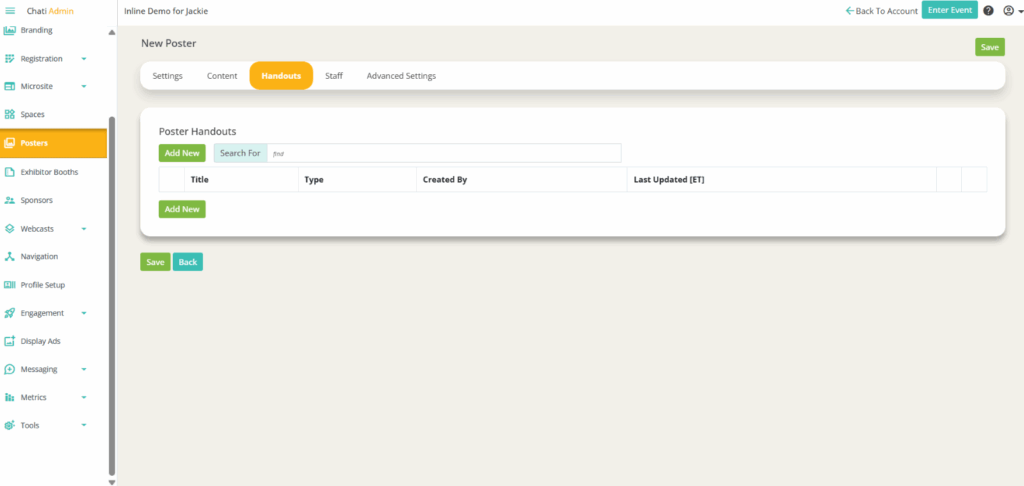
3.Click ‘Add New’
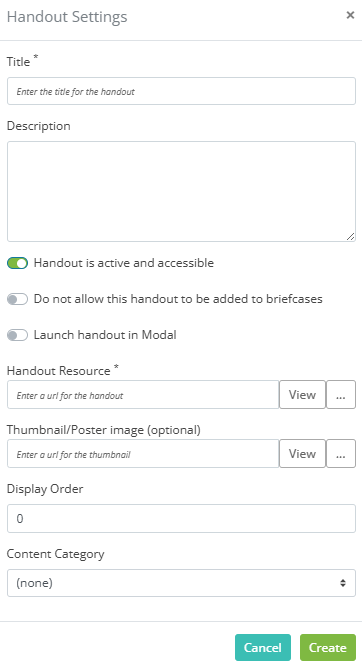
4. Provide the following:
- Title*
- Description
- Set the following attributes:
- Handout is active and accessible
- Do not allow this handout to be added to briefcases
- Launch handout in modal
- Handout Resource* (enter a URL for the handout)
- Thumbnail/Poster image (optional)
- Display Order
- Content Category
5. Click 'Create’