
1. Click the 'Messaging’ dropdown on Event Settings Panel, then ‘Announcements’
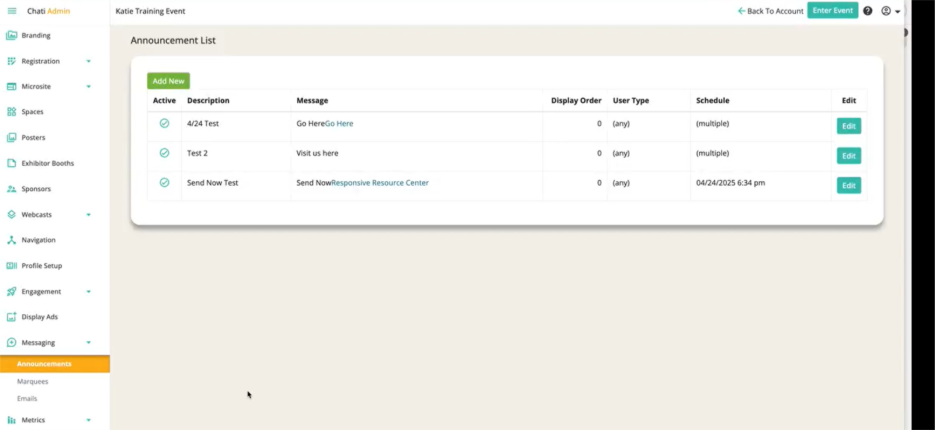
2. Click into an announcement that you’ve already created
3. Click ‘Advanced Settings’
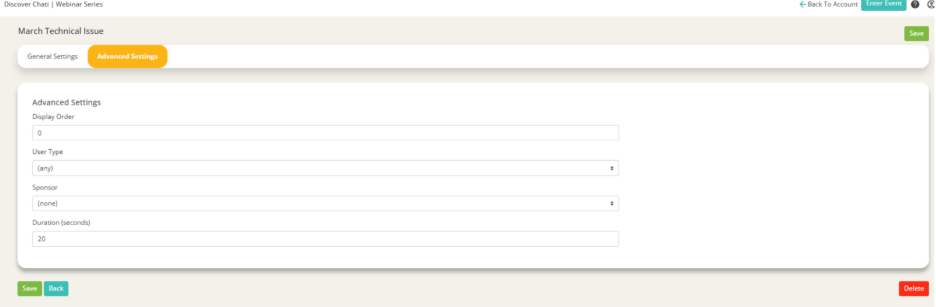
4. Set the following: ‘Display Order,’ ‘User Type,’ ‘Sponsor,’ and ‘Duration’
- Display Order: Will affect the order of your announcements in the event
- User Type: Decide if you want the announcement to only be sent to certain users of that user type
- Sponsor: Allows the announcement to be linked to a certain sponsor
- Duration: Determines how long the announcement will sit in the upper corner of the event space
5. Click ‘Save’
6. Click ‘Create’
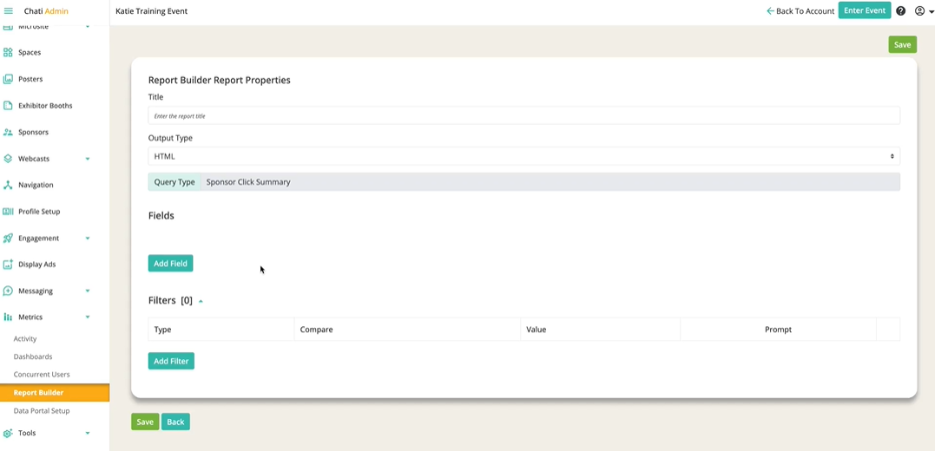
7. Fill out the following: ‘Title,’ ‘Output Type,’ ‘Fields,’ and any ‘Filters’
- Title
- Output Type
- Fields: Scroll to ‘Sponsor Activity’ section, and select from ‘First Click,’ ‘Last Click,’ and ‘Total Clicks,’ sponsor name, website URL, etc.
8. Click ‘Save’