

1. Click the 'Navigation’ on Event Settings Panel, then scroll down to ‘Icon Menu Items’
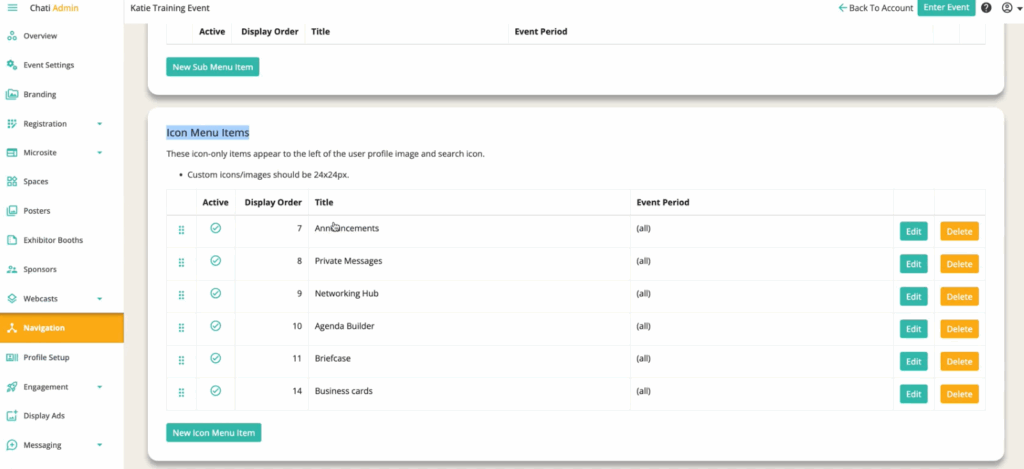
2. Click ‘New Icon Menu Item’
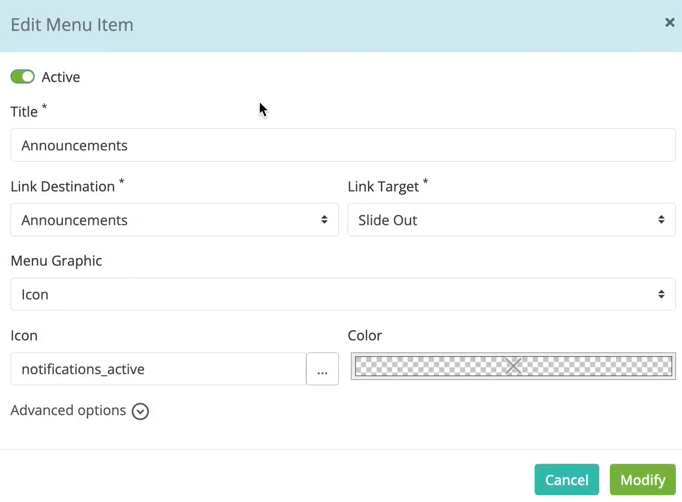
3. Fill out the following: ‘Title,*’ ‘Link Destination,*’ ‘Link Target,*’ ‘Menu Graphic,’ ‘Icon,’ and ‘Color’
- Title*: Required
- Link Destination*: Required (where the icon will navigate to)
- Link Target*: Required
- Menu Graphic: Select your graphic
- Icon: Select your icon
- Color: Select your color
4. Click ‘Modify’
5. Click ‘Save’