

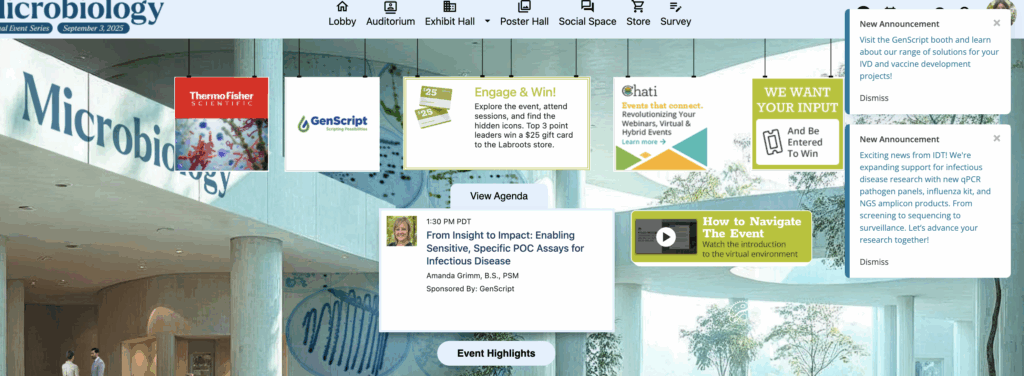
Event announcements are set up at the event level. In the event, announcements will always appear in the upper righthand corner.
1. Click the 'Messaging’ dropdown on Event Settings Panel, then ‘Announcements’
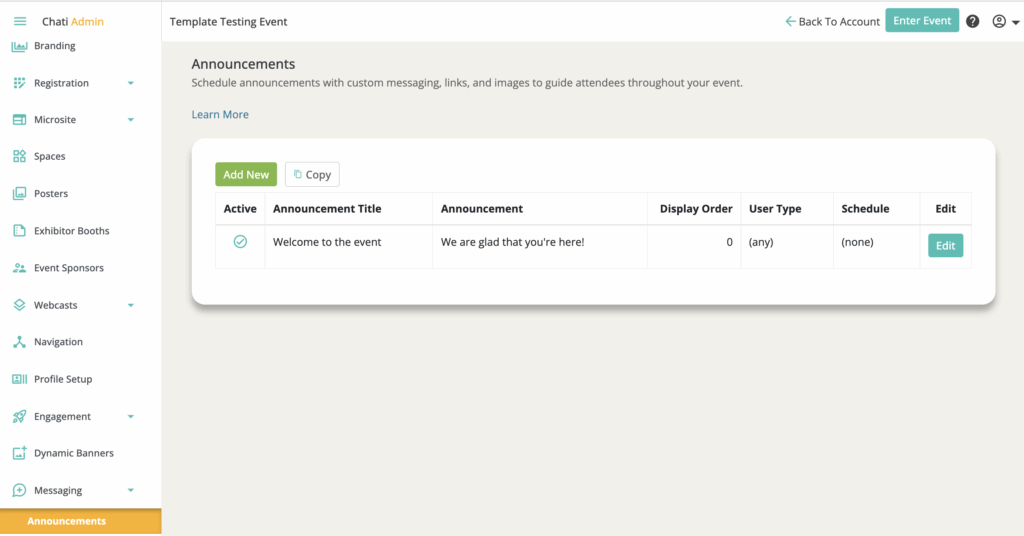
2. Click ‘Add New’ or 'Copy"
Announcements from the same event (not other events in the account) can be copied.
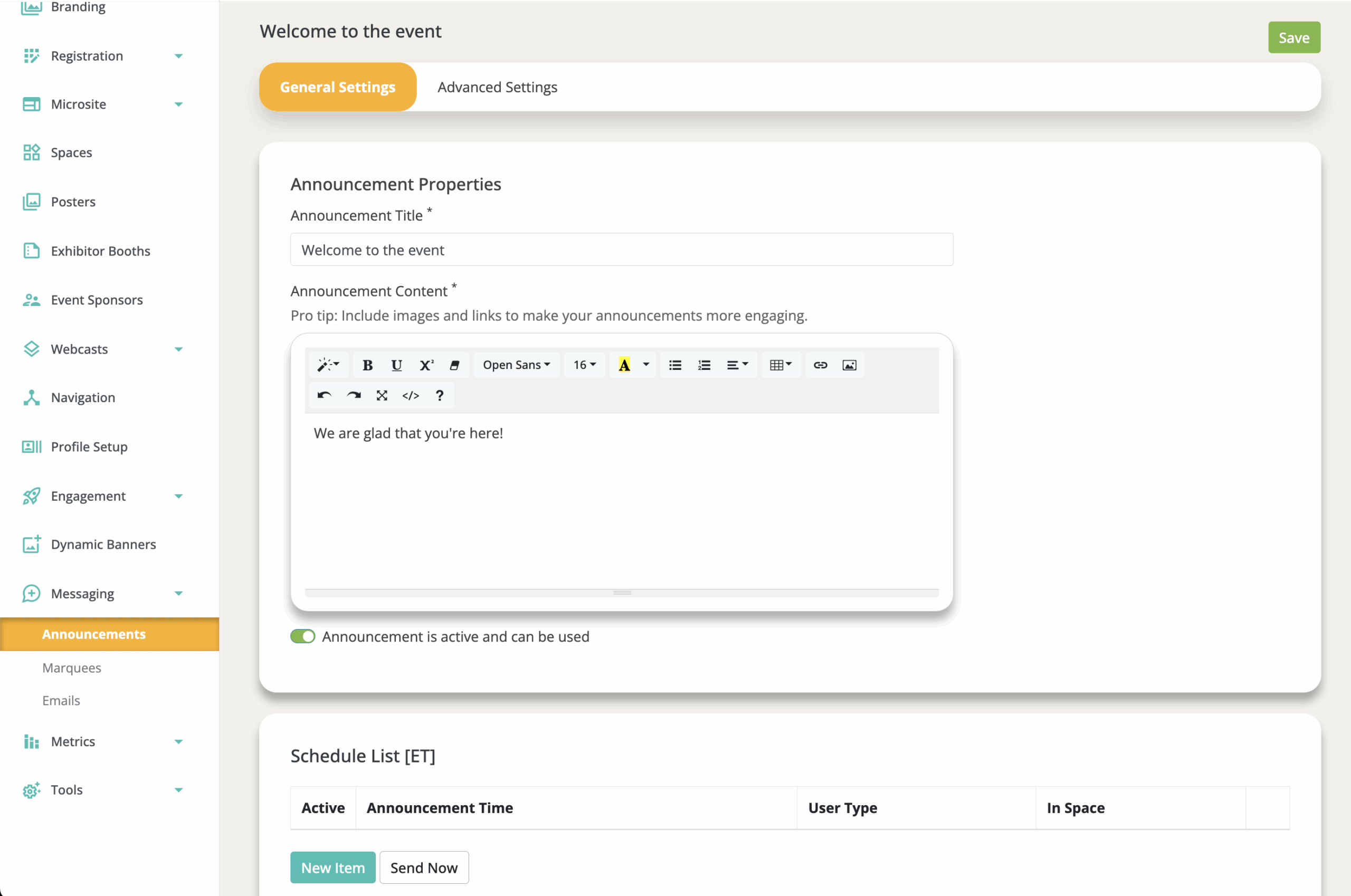
3. Within ‘General Settings,’ add the ‘Announcement Title,*’ ‘Announcement Content,*’ and ‘Schedule List’
- Announcement Title*: The internal label for the announcement
- Announcement Content*: The message that is shown to attendees (you can link text within this box to other rooms in the event, add imagery, etc.)
- Announcement is Active: When inactive, announcements won't be sent to users and will be removed from their announcements panel (even if previously sent).
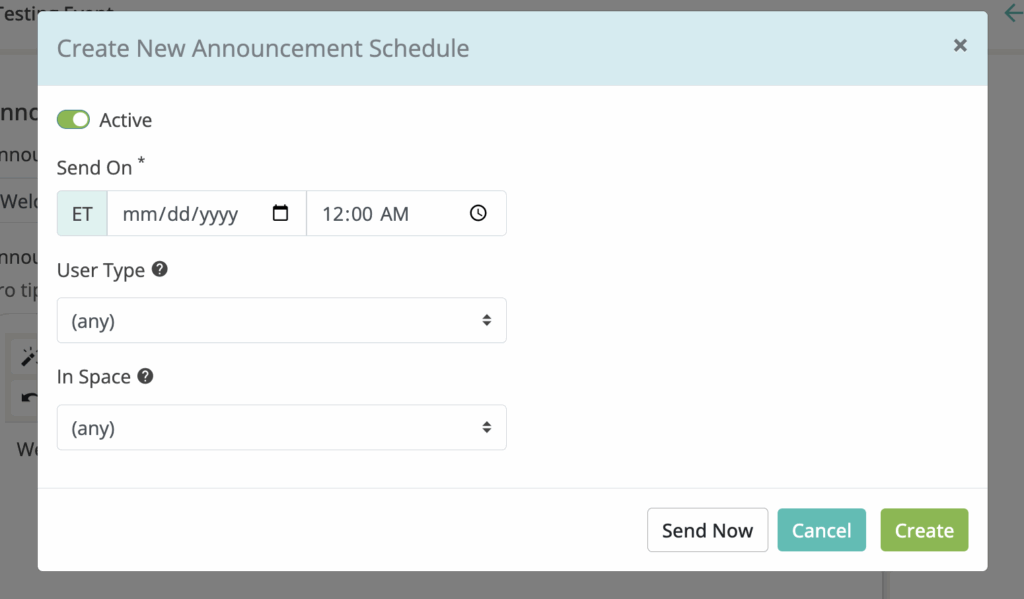
- Schedule List: The schedule list determines when the announcement will be sent, to who, and where.
- To use the "Send Now" feature, you must save the announcement first.
- Announcements can have multiple schedules assigned.
4. Click 'Save'