

These are steps you will take to add a survey to the event navigation bar after it has already been created. For steps to create a survey, click here.
1. Click ‘Navigation’ on Event Settings Panel, then ‘New Main Menu Item’
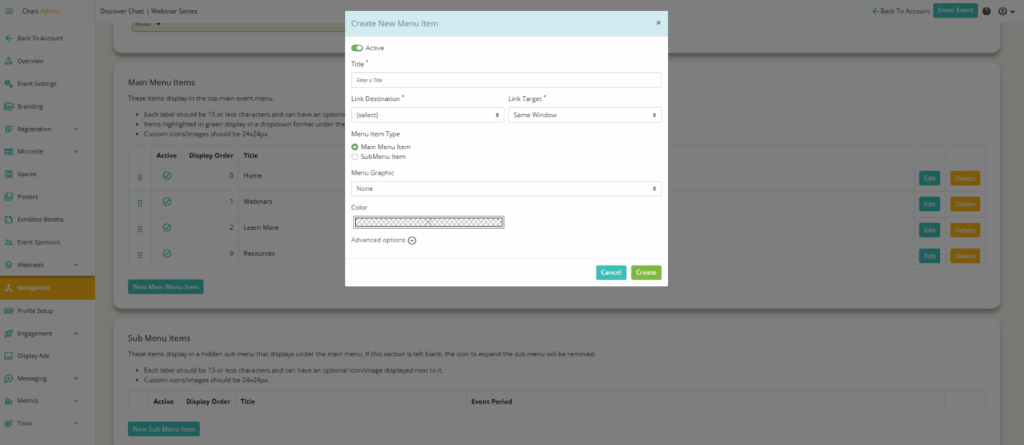
2. Add a ‘Title,*’ ‘Link Destination,*’ ‘Link Target,*’ ‘Main Menu Item,’ ‘Menu Graphic’
- Link Destination: Select the survey that you would like to add to the navigation bar under ‘Surveys’
- Link Target: Select if the survey will open in the same window or a modal
3.Click ‘Create’
4. Scroll down and click ‘Save’